Google Analytics
Google Analytics is a service for web analytics that tracks and provides data regarding user engagement with your website or application.
omniload supports Google Analytics as a source.
URI format
The URI format for Google Analytics is as follows:
googleanalytics://?credentials_path=/path/to/service/account.json&property_id=<property_id>
Alternatively, you can use base64 encoded credentials:
googleanalytics://?credentials_base64=<base64_encoded_credentials>&property_id=<property_id>
URI parameters:
credentials_path: The path to the service account JSON file.property_id: It is a unique number that identifies a particular property on Google Analytics. Follow this guide to know more about property ID.
Setting up a Google Analytics Integration
Google Analytics requires a few steps to set up an integration, please follow the guide dltHub has built here. Once you complete the guide, you should have an .json file and project_id.
Available Tables:
Table |
PK |
Inc Key |
Inc Strategy |
Details |
|---|---|---|---|---|
ingested_at |
- |
merge |
Retrieves real-time analytics data based on specified dimensions and metrics. Format: |
|
|
datetime_dimension |
datetime_dimension |
merge |
Retrieves custom reports based on specified dimensions and metrics. Format: |
Custom reports
Custom reports: allow you to retrieve data based on specificdimensionsandmetrics.
Custom Table Format:
custom:<dimensions>:<metrics>
Parameters:
dimensions(required): A comma-separated list of dimensions to retrieve.metrics(required): A comma-separated list of metrics to retrieve.
Example
omniload ingest \
    --source-uri "googleanalytics://?credentials_path="omniload/src/g_analytics.json&property_id=id123" \
    --source-table "custom:date:activeUsers" \
    --dest-uri "duckdb:///analytics.duckdb" \
    --dest-table "dest.custom"
This command will retrieve report and save it to the dest.custom table in the DuckDB database.

Realtime reports
Realtime reports: allows you to retrieve data based on specific dimensions, metrics, with optional minutes_ranges.
Realtime Report Table Format:
realtime:<dimensions>:<metrics>
realtime:<dimensions>:<metrics>:<minutes_ranges>
Parameters:
dimensions(required): A comma-separated list of dimensions to retrieve.metrics(required): A comma-separated list of metrics to retrieve.minutes_ranges(optional): Allows you to specify time windows for retrieving data. You can define up to two time ranges in your query, formatted as comma-separated values (e.g., “0-5,25-29”). Each range represents minutes in the past from the current time. If no minute_ranges are specified, the system defaults to retrieving data from the last 30 minutes. For more information read here
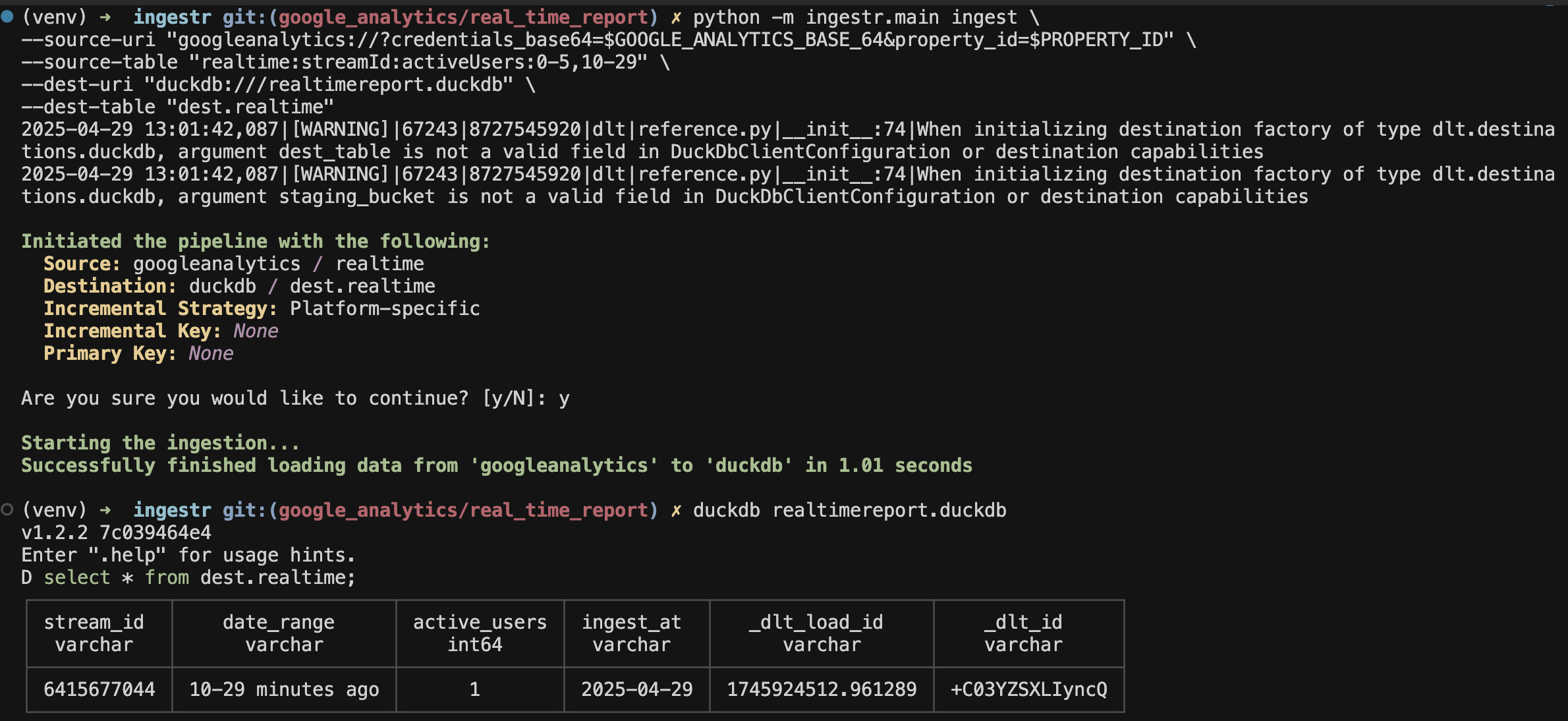
Example
omniload ingest \
    --source-uri "googleanalytics://?credentials_path="omniload/src/g_analytics.json&property_id=id123" \
    --source-table "realtime:streamId:activeUsers:0-4,10-29" \
    --dest-uri "duckdb:///analytics.duckdb" \
    --dest-table "dest.realtime"
This command will retrieve report and save it to the dest.realtime table in the DuckDB database.