QuickBooks
QuickBooks is an accounting software package developed and marketed by Intuit.
omniload supports QuickBooks as a source.
URI format
quickbooks://?company_id=<company_id>client_id=<client_id>&client_secret=<client_secret>&refresh_token=<refresh_token>&access_token=<access_token>&environment=<environment>&minor_version=<minor_version>
URI parameters:
company_id: The QuickBooks company (realm) id.client_id: OAuth client id from your Intuit application.client_secret: OAuth client secret.refresh_token: OAuth refresh token used to obtain access tokens.environment: Optional environment name, eitherproductionorsandbox. Defaults toproduction.minor_version: Optional API minor version.
Setting up a QuickBooks integration
Follow Intuit’s OAuth setup guide to create an app and generate your credentials.
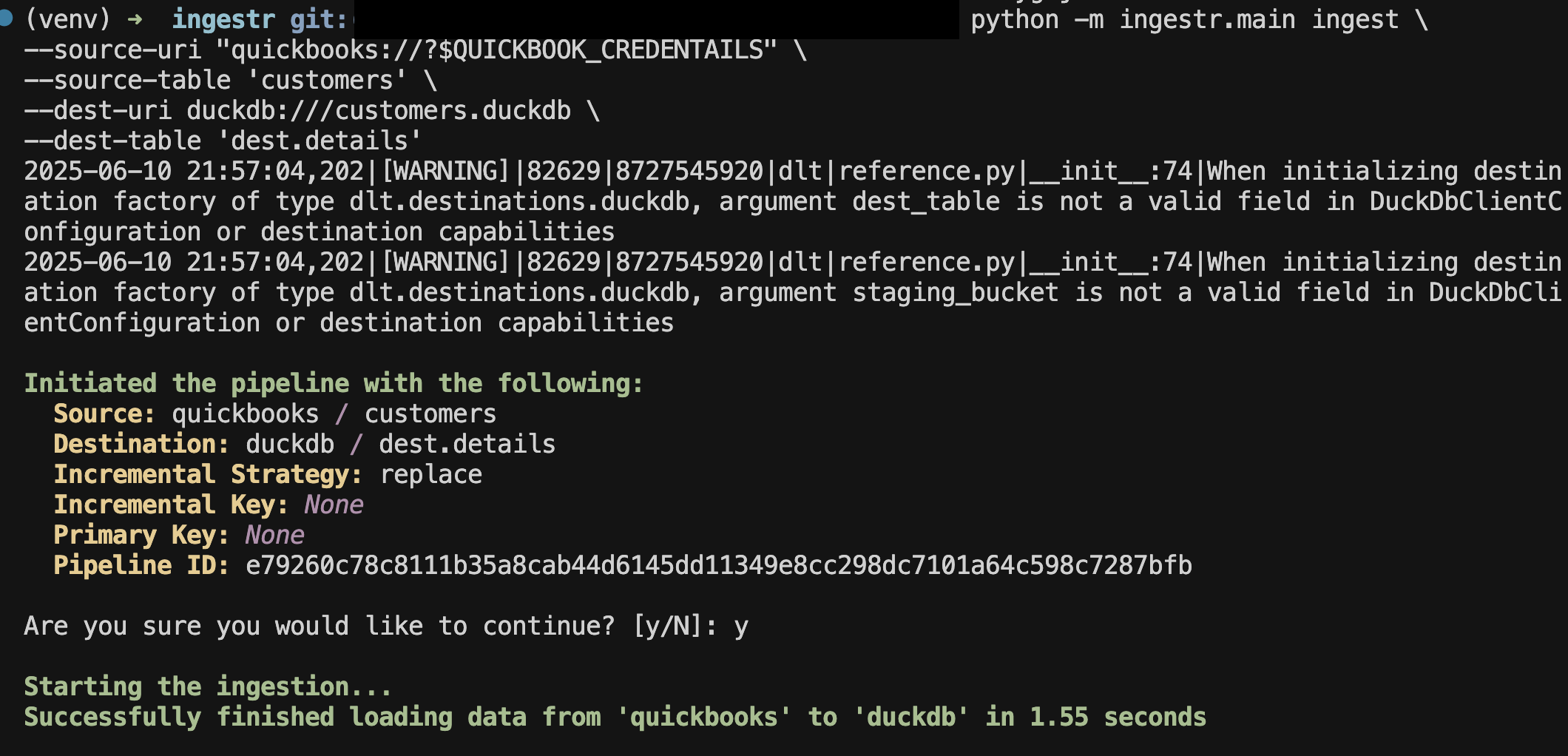
Once you have the credentials, you can ingest data. For example, to copy customers data into DuckDB:
omniload ingest \
--source-uri 'quickbooks://?company_id=1234567890&client_id=cid&client_secret=csecret&refresh_token=rtoken' \
--source-table 'customers' \
--dest-uri duckdb:///customers.duckdb \
--dest-table 'dest.details'
This command will retrieve customers data and save it to the dest.details table in the DuckDB database.
Tables
QuickBooks source allows ingesting the following tables:
Table |
PK |
Inc Key |
Inc Strategy |
Details |
|---|---|---|---|---|
|
id |
lastupdatedtime |
merge |
Retrives list of customers. |
|
id |
lastupdatedtime |
merge |
Retrives sales invoices. |
|
id |
lastupdatedtime |
merge |
Retrives details of accounts. |
|
id |
lastupdatedtime |
merge |
Retrives vendor records. |
|
id |
lastupdatedtime |
merge |
Retrives payments recorded. |
Use these as the --source-table parameter in the omniload ingest command.